
How AI Search Is Changing SEO: What Businesses Need to Do in 2026

Introduction

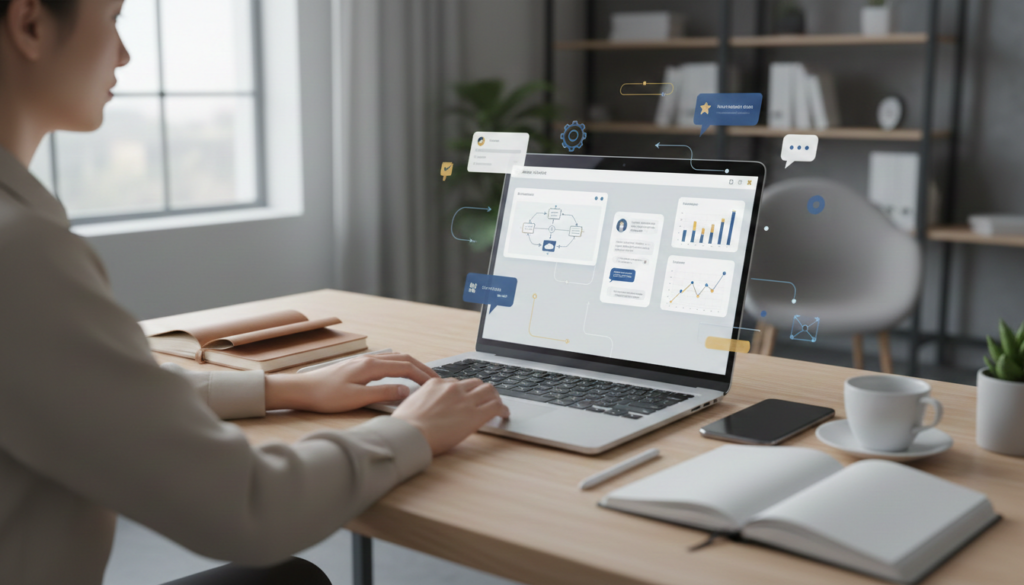
Search engine optimization has evolved significantly over the past decade, but 2026 is bringing one of the biggest transformations yet: AI-powered search.

Traditional search engines primarily displayed lists of websites based on keywords and ranking signals. Today, AI-driven search experiences are providing direct answers, personalized recommendations, and conversational results that are changing how users discover businesses online.

For business owners, marketers, and website owners, this shift means that traditional SEO strategies alone may no longer be enough.

Businesses that adapt to AI search will gain a competitive advantage, while those relying on outdated optimization techniques may struggle to maintain visibility.

At AR Digital Technology Pvt. Ltd., we help businesses stay ahead of digital trends by combining SEO, website development, content marketing, and conversion optimization strategies designed for the future of search.


What Is AI Search?

AI Search uses artificial intelligence and machine learning to understand user intent, context, and meaning rather than simply matching keywords.

Instead of displaying only website listings, AI-powered search engines can:

  • Generate direct answers

  • Summarize information from multiple sources

  • Provide conversational responses

  • Understand natural language queries

  • Deliver highly personalized search experiences

Modern users are increasingly asking detailed questions rather than typing short keyword phrases.

For example:

Traditional Search:
“Digital marketing agency”

AI Search:
“Which digital marketing agency can help a small business improve local SEO and generate more leads?”

This shift requires businesses to optimize content differently.


Why AI Search Is Transforming SEO

The goal of SEO has always been visibility.

However, visibility is now expanding beyond traditional rankings.

Businesses must optimize for:

  • Search engines

  • AI-generated answers

  • Voice search

  • Featured snippets

  • Knowledge panels

  • Conversational search platforms

This means content quality, authority, user experience, and trust signals are becoming more important than ever.


The Key Changes Businesses Need to Understand

1. Search Intent Matters More Than Keywords

For years, businesses focused heavily on exact-match keywords.

While keywords remain important, AI search prioritizes understanding the intent behind user queries.

Instead of targeting only:

“Website Development”

Businesses should create content around:

  • How much does website development cost?

  • What makes a high-converting website?

  • How can businesses improve website performance?

This helps search engines and AI systems understand the depth and relevance of your content.

Related Reading:
Why Every Business Needs a Conversion-Focused Website
(Insert Internal Link)


2. High-Quality Content Wins

AI systems prioritize content that demonstrates:

  • Expertise

  • Authority

  • Trustworthiness

  • Accuracy

Businesses should focus on publishing:

  • In-depth guides

  • Case studies

  • Industry insights

  • Educational content

  • Problem-solving resources

Content that genuinely helps users is more likely to be referenced and surfaced by AI search systems.


3. Website Experience Is More Important Than Ever

Even if AI helps users discover your business, your website still plays a critical role in converting visitors into customers.

A modern website should include:

  • Fast loading speed

  • Mobile responsiveness

  • Clear navigation

  • Strong calls-to-action

  • Secure browsing experience

Google continues to prioritize websites that provide excellent user experiences.

Related Reading:
Non-Coding Website Creation Guide
(Insert Internal Link)


4. Trust Signals Influence Visibility

AI search systems aim to recommend reliable businesses.

Trust signals include:

  • Customer reviews

  • Testimonials

  • Case studies

  • Industry recognition

  • Consistent branding

Businesses with stronger online credibility are more likely to gain visibility in future search experiences.

Related Reading:
How Professional Design Builds Trust and Increases Sales
(Insert Internal Link)


5. Local SEO Remains Critical

Despite advancements in AI search, local businesses still need strong local visibility.

Optimizing your Google Business Profile helps:

  • Increase local search visibility

  • Generate calls and inquiries

  • Improve trust and credibility

  • Drive foot traffic

Businesses should continue investing in local SEO alongside AI search optimization.

Related Reading:
Why Your Google Business Profile Is More Important Than Your Website in 2026
(Insert Internal Link)


How Businesses Should Prepare for AI Search

To remain competitive in 2026 and beyond, businesses should focus on:

Create Helpful Content

Answer customer questions clearly and comprehensively.

Improve Website Performance

Optimize speed, mobile usability, and user experience.

Build Topical Authority

Publish content consistently within your niche.

Strengthen Brand Trust

Collect reviews, showcase testimonials, and highlight expertise.

Focus on Conversion Optimization

Visibility alone is not enough. Businesses need systems that convert visitors into customers.


The Future of SEO Is Human-Centered

Although technology is evolving rapidly, the core principle of successful SEO remains the same:

Provide value.

AI search is rewarding businesses that prioritize user experience, helpful content, trust, and relevance.

The companies that focus on solving customer problems rather than simply chasing rankings will be best positioned for long-term success.


Final Thoughts

AI search is not replacing SEO—it is transforming it.

Businesses that adapt early will gain greater visibility, stronger customer trust, and more opportunities to generate leads online.

Success in 2026 requires a combination of:

  • SEO

  • Website Development

  • Content Marketing

  • Branding

  • Conversion Optimization

At AR Digital Technology Pvt. Ltd., we help businesses prepare for the future of digital marketing with strategies designed to improve visibility, generate qualified leads, and drive sustainable growth.

Visit https://ardigitaltechnology.com to learn how our team can help your business thrive in the AI-powered search era.


Next in This Series

Part 2: Why AI-Ready Websites Will Replace Traditional Websites

Part 3: Traffic + Trust + Conversion = More Revenue

Part 4: Local SEO Strategies That Generate More Leads

Non Coding Website Creation Guide

Introduction

Creating a website no longer requires advanced coding skills or technical knowledge. In 2026, no-code website builders and modern platforms have made website creation easier, faster, and more accessible for beginners, freelancers, students, and businesses.

Today, anyone can build a professional website using drag and drop tools, ready made templates, and simple customization features without writing a single line of code.

Whether you want to create:

  • A business website
  • Portfolio website
  • Blog
  • E-commerce store
  • Landing page

No code website development provides a simple and affordable solution.

What is Non Coding Website Creation?

Non-coding website creation means building websites using visual website builders and CMS platforms instead of manual programming.

These platforms allow users to:

  • Drag and drop elements
  • Customize layouts visually
  • Add images, text, and forms easily
  • Launch websites quickly

Instead of coding with HTML, CSS, or JavaScript, users can manage everything through user-friendly interfaces.

Why No Code Website Development is Growing in 2026

The demand for websites is increasing rapidly, and businesses want faster digital solutions.

No-code website platforms help users:

  • Save development time
  • Reduce costs
  • Build websites independently
  • Update content easily
  • Launch projects quickly

For startups, freelancers, and small businesses, no-code development has become a practical and scalable option.

Best Platforms for Non-Coding Website Creation

1. WordPress + Elementor

One of the most popular no code website solutions.

Features:

  • Drag and drop website builder
  • Thousands of templates
  • SEO friendly structure
  • Easy customization
  • Blogging & e-commerce support

Best For:

Business websites, blogs, portfolios, agencies.

2. Wix

A beginner-friendly website builder with modern templates.

Features:

  • Easy visual editor
  • AI website creation tools
  • Mobile optimization
  • Built-in hosting

Best For:

Personal websites, startups, small businesses.

3. Shopify

A leading no code platform for e-commerce websites.

Features:

  • Online store setup
  • Payment integration
  • Product management
  • Mobile friendly design

Best For:

E-commerce businesses and online stores.

4. Webflow

A professional no code platform focused on modern web design.

Features:

  • Advanced visual design
  • Responsive website control
  • Animation support
  • CMS integration

Best For:

Designers, agencies, creative professionals.

5. Framer

A modern AI-powered website builder growing rapidly in 2026.

Features:

  • Interactive website design
  • AI website generation
  • Responsive layouts
  • Modern UI components

Best For:

Startups, portfolios, SaaS landing pages.

Benefits of Non-Coding Website Creation

1. Easy to Learn

No programming knowledge is required. Beginners can create websites through simple visual editing..

2. Faster Development

Websites can be created in days instead of months.

3. Cost Effective

Businesses save money by avoiding expensive custom development.

4. Beginner Friendly

Students, freelancers, and small business owners can manage websites independently.

5. Easy Updates

Content, images, and pages can be updated anytime without technical help.

Essential Features Every Website Should Have

A professional website should include:

  • Mobile Responsive Design
  • Fast Loading Speed
  • SEO Optimization
  • Contact Forms
  • Clear Navigation
  • Professional UI/UX
  • Social Media Integration
  • Secure Hosting

These elements improve both user experience and search engine visibility.

No Code Website Creation for Businesses

Businesses today need websites for:

  • Brand credibility
  • Lead generation
  • Online visibility
  • Customer engagement
  • Sales growth

A professional website helps businesses build trust and compete effectively in the digital market.

Skills You Can Learn Through No-Code Website Development

Even without coding, website creation helps users understand:

  • UI/UX Design
  • Website Structure
  • SEO Basics
  • Landing Page Design
  • Branding
  • Content Management

These are valuable digital skills for freelancers and professionals.

Career Opportunities in No-Code Website Development

After learning no-code website creation, you can work as:

  • Website Designer
  • WordPress Developer
  • Landing Page Designer
  • Freelance Web Creator
  • Digital Business Consultant

You can also create websites for:

  • Local businesses
  • Startups
  • Coaches
  • Agencies
  • E-commerce brands

Future of No Code Development

The future of website development is becoming more automated and AI driven. No code tools are continuously improving with:

  • AI website generation
  • Smart design automation
  • Faster customization
  • Better SEO integration

In 2026 and beyond, no code development will continue helping businesses and individuals create digital solutions more efficiently.

Non coding website creation has made web development easier, faster, and more accessible than ever before. Whether you are a student, freelancer, entrepreneur, or business owner, no-code platforms allow you to build professional websites without technical barriers.

With tools like WordPress, Wix, Shopify, Webflow, and Framer, anyone can create modern websites, grow online presence, and build digital opportunities.

CRM Tools for Small Indian Businesses in 2026

Introduction

In 2026, customer management directly defines business growth. If a business generates leads but lacks a proper system to manage them, sales opportunities are inevitably lost. Many small businesses rely on manual processes such as spreadsheets, WhatsApp chats, or memory-based follow-ups — which leads to inconsistency and missed conversions.

This is where CRM (Customer Relationship Management) tools become essential. A CRM system helps businesses organize, automate, and optimize their entire sales process — from lead generation to final conversion.

CRM helps you

  • Track leads efficiently
  • Automate follow-ups
  • Manage customer data
  • Increase conversion rates

For Indian small businesses, CRM is no longer optional — it is a core growth engine.

Why Small Businesses in India Need CRM in 2026

Today’s digital ecosystem is highly competitive and fast-paced. Customers expect quick responses, personalized communication, and seamless interactions.

Without a CRM, businesses struggle to meet these expectations.

Key Benefits of CRM:

  • Lead Tracking: Ensures no enquiry is missed
  • Automation: Saves time and reduces manual effort
  • Sales Pipeline Clarity: Clear visibility of each deal stage
  • Multi-Channel Integration: WhatsApp, Email, Calls in one place
  • Higher Conversion Rates: Structured follow-ups improve results

CRM tools help businesses reduce manual work and significantly improve sales efficiency.

Best CRM Tools

1. Zoho CRM

Most recommended for startups and growing businesses

Features:

  • AI assistant (Zia)
  • Workflow automation
  • Multi-channel communication
  • Free plan for small teams

Why it stands out:

  • Affordable and scalable
  • Strong support for Indian businesses
  • Integrates with 1000+ applications

2. Freshsales

Ideal for sales focused teams

Features:

  • Clean and easy-to-use interface
  • AI-based lead scoring
  • Built-in calling and email tracking

Why it stands out:

  • Faster onboarding and usability
  • Strong automation capabilities

3. HubSpot CRM

Perfect for beginners and startups

Features:

  • Free plan with unlimited users
  • Email marketing tools
  • Pipeline and contact management

Best For:

  • Small teams with limited budget
  • Businesses starting digital systems

4. LeadSquared

Best for lead generation heavy businesses

Features:

  • Lead capture automation
  • Sales tracking and reporting
  • Marketing automation

Lorem ipsum dolor sit amet, consectetur adipiscing elit. Ut elit tellus, luctus nec ullamcorper mattis, pulvinar dapibus leo.

Ideal For:

  • Coaching institutes
  • Real estate businesses
  • Training organizations

5. Pipedrive

Best for simple pipeline tracking

Features:

  • Visual sales pipeline
  • Easy deal management
  • Workflow automation

Ideal For:

  • Small teams focused on simplicity

6. EngageBay

Best for marketing + CRM integration

Features:

  • Email automation
  • CRM + Helpdesk
  • Landing page builder

Ideal For:

  • Funnel-based businesses
  • Digital marketing-driven companies 

Latest CRM Trends in 2026

1. AI-Powered CRM

Modern CRMs use artificial intelligence to:

  • Predict customer behavior
  • Suggest follow-ups
  • Score leads automatically

2. WhatsApp CRM Integration

In India, WhatsApp plays a major role in business communication.

CRM integration allows:

  • Instant replies
  • Automated messaging
  • Higher engagement and conversions

3. Automation-First Systems

Businesses are shifting towards fully automated workflows:

  • Auto emails
  • Follow-up reminders
  • Lead nurturing sequences

4. Voice & Regional CRM (Emerging Trend)

New CRM systems are introducing:

  • Voice-based data entry
  • Regional language support (Hindi, etc.)

This makes CRM adoption easier for non-technical users.

In 2026, CRM is not just a software solution it is the backbone of a successful business.

Small businesses that implement CRM effectively:

  • Respond faster
  • Manage leads better
  • Increase conversions
  • Scale operations efficiently

On the other hand, businesses without CRM continue to lose valuable opportunities due to lack of structure and follow-up systems. The difference between average and high-growth businesses today is not leads it is how well those leads are managed.

No Code AI Tools for Beginners (2026)

Introduction

Artificial Intelligence (AI) is no longer limited to developers and programmers. With the rise of no code AI tools, anyone can build powerful AI applications without writing a single line of code.

Whether you are a student, marketer, freelancer, or business owner, these tools allow you to:

  • Build automation systems
  • Create AI powered workflows
  • Improve productivity and business growth

In this guide, you will learn everything about no code AI tools, including their benefits, use cases, and how to get started.

What are No Code AI Tools?

No code AI tools are platforms that allow users to create AI applications using:

  • Visual interfaces
  • Drag and drop builders
  • Pre built templates

These tools eliminate the need for programming knowledge and make AI accessible to everyone.

Who Should Use No Code AI Tools?

No code AI tools are ideal for:

  • Students who want to learn digital skills
  • Digital marketers looking to automate campaigns
  • Freelancers building services
  • Business owners aiming to scale operations 

Best No Code AI Tools for Beginners (2026)

No-code AI tools are changing the way people use technology. Earlier, building AI systems or automations usually required coding knowledge, technical experience, and access to developers. Now, beginners can create useful workflows, apps, and AI powered systems with simple visual interfaces.

These tools are especially useful for students, freelancers, marketers, and business owners who want to save time, improve efficiency, and build modern digital solutions without learning programming first.

Below are some of the best no code AI tools for beginners in 2026.

1. ChatGPT

ChatGPT is one of the most widely used AI tools today. It allows users to interact with artificial intelligence through natural language, which means you can simply type what you want and receive useful outputs in seconds.

For beginners, ChatGPT is often the easiest starting point because it does not feel technical. You do not need to understand coding, machine learning, or data science. You only need to know how to ask clear questions and give proper instructions.

What ChatGPT can help with

ChatGPT can be used for a wide range of tasks, such as:

  • Writing blog posts, captions, emails, and scripts
  • Generating business ideas and campaign concepts
  • Creating chatbot responses
  • Summarizing large blocks of information
  • Drafting plans, checklists, and SOPs
  • Answering questions and explaining topics in simple language

Why it is useful for beginners

The biggest advantage of ChatGPT is that it reduces the effort needed to start working with AI. Instead of building a tool from scratch, beginners can use it as a thinking partner, writing assistant, and productivity tool.

For example, a digital marketer can use ChatGPT to:

  • Generate Instagram captions
  • Plan ad copy
  • Write SEO blog outlines
  • Create email marketing drafts

A student can use it to:

  • Understand difficult topics
  • Prepare interview answers
  • Write assignments more efficiently
  • Build ideas for projects

Beginner value

ChatGPT teaches an important modern skill: prompting. Learning how to ask the right questions and structure requests properly is becoming a valuable digital skill in itself.

2. Zapier

Zapier is a no code automation platform that connects different apps and helps them work together automatically. Instead of doing repetitive tasks manually, Zapier allows you to create workflows that trigger actions between tools. These workflows are called Zaps.

How Zapier works

Zapier usually works on a simple logic: Trigger → Action

For example:

  • A person fills out a lead form
  • Zapier detects the form submission
  • Zapier automatically sends an email notification
  • Zapier then adds the lead to a CRM or spreadsheet

This saves time and reduces human error.

Practical beginner use cases

Zapier is especially useful for businesses and marketers because daily operations often involve multiple apps. Instead of copying data manually from one place to another, Zapier automates the process.

Examples:

  • Website form submission → add lead to Google Sheets
  • New Facebook lead → send instant email alert
  • New order → send message to team
  • New Google Form response → create task in project tool
  • Customer inquiry → push data into CRM

Why beginners should learn Zapier

Beginners usually struggle with repetitive admin work. Zapier solves this problem without requiring coding. It teaches users how systems connect and how automation can improve business efficiency.

For small businesses, this means:

  • Faster response times
  • Better lead management
  • Less manual work
  • Improved workflow accuracy

Zapier is a great tool for anyone who wants to learn practical automation and create business systems without technical complexity.

3. Make (Integromat)

Make, previously known as Integromat, is another no code automation platform. It is similar to Zapier, but it gives users more advanced control and a more visual workflow building experience.

If Zapier is excellent for simple automations, Make is often better for people who want more flexibility and multi step logic.

What makes Make different

Make uses a visual canvas where you can see how each step in your automation connects. This makes it easier to understand complex workflows.

For example, you can create scenarios like:

  • Collect lead data
  • Filter leads by source
  • Send them to different sheets or CRMs
  • Trigger different email responses
  • Notify the right team member

This is more advanced than a simple one trigger one action setup.

Why it is powerful

Make is useful when you want to automate full systems instead of single tasks.

Examples:

  • Lead capture + qualification + CRM sync
  • Content approval workflows
  • E-commerce order tracking
  • Customer onboarding process
  • Reporting dashboards pulling data from multiple tools

Why beginners can still use it

Although Make is more advanced than Zapier, it still does not require coding. Its visual workflow design helps beginners understand how processes move from one step to another. It is a good next level tool for users who have already understood basic automation and want deeper control.

Best for

  • Marketers managing many tools
  • Agencies handling workflows
  • Businesses creating automation systems
  • Users who want more customization without coding

4. Bubble

Bubble is a no code platform that allows users to build full web applications without coding. Unlike tools like ChatGPT, Zapier, or Make, which mainly help with content or automation, Bubble helps you create actual digital products.

This means you can use Bubble to build:

    • Business websites
    • Client portals
    • Booking systems
    • Dashboards
    • Marketplace platforms
    • SaaS products

Why Bubble is important

Bubble opens the door for beginners who want to build digital products but do not know programming. Earlier, creating an app required a developer or development team. Bubble makes that process far more accessible.

What you can build with Bubble

A beginner or entrepreneur can use Bubble to create:

  • A lead generation website
  • An appointment booking system
  • An online service marketplace
  • A course platform
  • A business dashboard
  • A basic CRM tool

Why it matters for business

Bubble is especially valuable for startups, agencies, and creators because it allows fast product development. Instead of spending months coding a prototype, you can launch faster, test ideas, and improve based on feedback.

Learning benefit for beginners

Bubble helps users understand digital product thinking:

  • User flow
  • App structure
  • Page design
  • Logic building
  • Data management

Even if someone later decides to learn coding, starting with Bubble builds a strong foundation in how apps work.

5. Microsoft Power AppsHere

Microsoft Power Apps is a no code and low code platform designed mainly for building business applications. It is widely used inside organizations to create internal tools and improve workflows.

What it does

Power Apps helps businesses build apps for everyday internal use, such as:

  • Employee attendance systems
  • Leave request forms
  • Inventory trackers
  • Approval workflows
  • Reporting dashboards
  • Field service tools

Why it is useful

Many businesses still manage processes manually through Excel, paper forms, or long email chains. Power Apps can turn those manual systems into smart internal applications.

For example:

  • HR teams can create leave management apps
  • Finance teams can track approvals
  • Operations teams can manage inventory
  • Managers can review reports in one place

Why beginners should pay attention

If someone wants to work in business operations, administration, HR, or digital transformation, Power Apps is a highly practical tool. It teaches how technology can simplify internal workflows and improve organizational efficiency.

Best fit

Power Apps is especially useful for:

  • Office teams
  • Business professionals
  • Admin and HR departments
  • Enterprise workflow management

It is a strong tool for career growth because many organizations need internal automation but do not always want to depend on developers for every small solution.

Benefits of No Code AI Tools

No code AI tools are not just popular because they are easy to use. Their real value lies in how they make technology more accessible, faster, and more practical for everyday users.

1. Accessibility

One of the biggest benefits of no code AI tools is accessibility. They allow people without technical backgrounds to build useful digital systems.

In the past, AI and automation were seen as fields only for developers, data scientists, or engineers. No code tools remove that barrier.

Why this matters

Now, people from different fields can use AI, including:

  • Students
  • Marketers
  • Sales teams
  • HR professionals
  • Business owners
  • Freelancers

This creates more opportunities because users are no longer limited by their coding knowledge.

Real impact

  • A marketer can automate lead collection.
  • A business owner can create a chatbot.
  • A freelancer can build workflows for clients.
  • A student can learn practical AI skills early.

This broader access is one of the biggest reasons no-code tools are growing so quickly.

2. Speed

Traditional development can take weeks or months. No code AI tools reduce that time significantly.

Instead of writing code, testing scripts, and fixing technical issues, users can build workflows visually and launch much faster.

Why speed matters

In business and marketing, speed often creates advantage.

You can:

  • Test ideas quickly
  • Launch faster
  • Improve workflows sooner
  • Respond to customer needs faster

Practical example

A business that wants to automate lead handling does not need to wait for custom software development. Using Zapier or Make, a basic system can often be created in a much shorter time.

This makes no code tools ideal for rapid experimentation and quick implementation.

3. Cost Effectiveness

Another major benefit is lower cost. Hiring developers, software engineers, or technical consultants can be expensive, especially for startups and small businesses.

No code tools make innovation more affordable.

Why this matters

Businesses can:

  • Reduce development expenses
  • Avoid unnecessary software costs
  • Test new ideas without large budgets
  • Improve operations without building everything from scratch

Business advantage

Instead of investing heavily in custom tools at the start, a company can build early systems with no code platforms and validate whether the process actually works.

This is especially useful for:

  • Startups
  • Local businesses
  • Agencies
  • Growing companies with limited budgets

4. Ease of Use

No code tools are designed to be user friendly. Their interfaces are built for non-technical users, which makes adoption much easier.

What makes them easy to use

  • Drag and drop builders
  • Ready made templates
  • Visual workflows
  • Guided setup process
  • Simple integrations

Why this matters for beginners

When a tool feels simple, people are more likely to use it consistently. This reduces fear, increases experimentation, and helps users build confidence.

For beginners, this means:

  • Lower learning curve
  • Faster understanding
  • Practical application from day one

Ease of use is one of the biggest reasons no code AI tools are suitable for modern learners and businesses.

No code AI tools are making technology more practical, faster, and easier for everyone. Whether you want to create content, automate workflows, build apps, or improve your business systems, these tools give beginners a strong starting point without requiring programming knowledge.

For 2026 and beyond, learning tools like ChatGPT, Zapier, Make, Bubble, and Microsoft Power Apps is not just useful it is a smart digital skill that can open doors to new opportunities, better productivity, and business growth.

Top AI Tools Every Digital Marketer Must Use in 2026

Latest Trends, Statistics, Innovations & Execution Strategy

Introduction

Digital marketing is no longer just about creativity
it’s about speed, automation, and data-driven decisions.

In 2026, marketers who are not using AI are already falling behind.

Recent industry insights show:

  • 91% of marketers are using AI tools actively
  • 60% use AI tools daily
  • 88% say AI is now part of their daily workflow

The reality is simple: AI is no longer optional  it is essential.

Market Growth

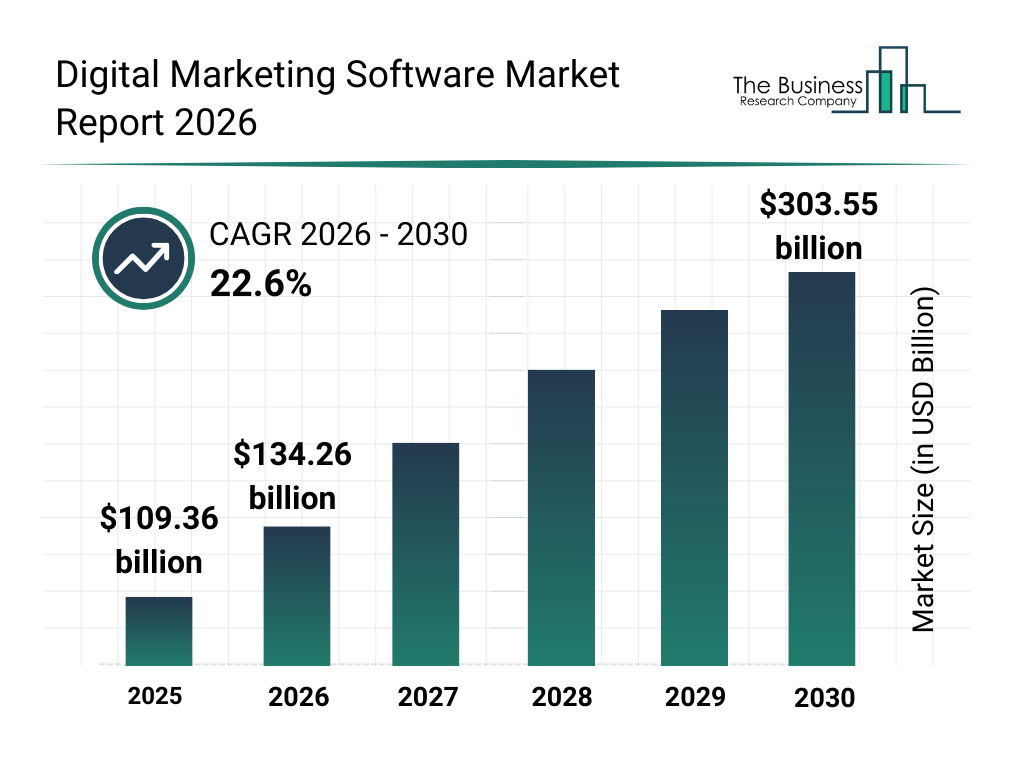
  • AI marketing industry expected to exceed $100+ billion by 2028
  • 92% of businesses are increasing AI investment
  • 67% of small businesses already use AI in marketing

Performance Impact

  • Up to 300% ROI improvement with AI tools
  • Customer acquisition cost reduced by 30–40%
  • Conversion rates increased by +35%
  • Content creation time reduced by up to 80%

Industry Shift

  • 80% marketers use AI for content creation
  • 85% say AI is changing SEO (AEO, GEO, AI Search)
  • Traditional content writing without AI has dropped drastically

Top AI Tools

1. ChatGPT (Content & Strategy Engine)

Best for: Blog writing Ad copy Scripts & captions Funnel planning
Why it matters: AI powered content tools reduce creation time and improve consistency.

2. Canva AI (Design Automation)

Best for: Social media creatives Ad designs Brand visuals Key advantage: No design skills required — fast, professional output.

3. Jasper AI (Marketing Copywriting)

Best for: Sales copy Email campaigns Landing pages Impact: Improves engagement and click-through rates.

4. Surfer SEO / NeuronWriter (AI SEO Optimization)

Best for: Keyword research Content optimization Ranking improvements Trend shift: SEO is evolving into AI-driven search optimization (AEO & GEO).

5. Runway / Pictory AI (Video Automation)

Best for: Reels creation Video editing Content repurposing Why important: Video is the most consumed content format in 2026.

6. HubSpot AI (CRM & Automation)

Best for: Lead nurturing Email automation Customer insights Result: Better personalization and higher conversion rates.

7. Meta AI Ads (Advertising Automation)

Best for: Automated targeting Campaign optimization Ad creatives Impact: Lower cost per lead + improved ROI.

8. Midjourney / DALL·E (AI Image Generation)

Best for: Creative visuals Branding assets Ad concepts

9. Google AI (Performance Max & Analytics)

Best for: Smart campaigns Conversion tracking Predictive insights

10. Zapier AI (Workflow Automation)

Best for: Automating repetitive tasks Connecting tools Lead flow management

Artificial Intelligence is no longer just a trend it has become the foundation of modern digital marketing. In 2026, marketers and businesses that actively use AI tools are able to create content faster, run smarter ad campaigns, make data-driven decisions, and achieve higher ROI with less effort. On the other hand, those who ignore AI are gradually losing visibility, reach, and growth opportunities in an increasingly competitive digital space. The tools mentioned above are not just optional additions; they are essential for staying relevant and competitive.

Whether you are a student, freelancer, or business owner, the path forward is clear start learning, start implementing, and continuously optimize your strategies using AI. The future belongs to those who adapt quickly and use technology effectively. One important reality to understand is that AI will not replace marketers, but marketers who use AI will replace those who don’t. If you want to build practical skills in AI tools, digital marketing, and automation for real business growth, this is the right time to take action and start your journey with the right guidance and training.


Digital Marketing in 2026: Complete Guide for Beginners & Businesses

Introduction

Digital marketing in 2026 is no longer just about running ads or posting on social media. It has evolved into a powerful ecosystem driven by AI, automation, personalization, and user experience.

As Neil Patel says:“The future of marketing is data-driven, automated, and deeply personalized.”

Whether you are a student, freelancer, or business owner, understanding digital marketing today is not optional — it’s essential.

What is Digital Marketing?

Digital marketing is the process of promoting products or services using online channels such as:

  • Search Engines (Google)
  • Social Media (Instagram, Facebook)
  • Websites & Blogs
  • Email Marketing
  • Paid Advertising (Google Ads, Meta Ads)

In simple words: “Digital marketing = Reaching the right audience at the right time online.”

Why Digital Marketing is Important in 2026

According to Statista, global digital ad spending is continuously increasing every year.

Key Reasons:

  • More than 70% of businesses are online
  • Customers search on Google before buying
  • Social media influences decisions
  • Online presence = Business credibility

As Seth Godin explains: “Marketing is no longer about the stuff you make, but the stories you tell.”

Latest Digital Marketing Trends in 2026

1. AI & Automation

Tools like ChatGPT and automation platforms are transforming marketing.

  • AI content creation
  • Chatbots for customer support
  • Automated ads optimization

2. GEO, AEO & SXO

  • GEO (Generative Engine Optimization): Optimizing content for AI-generated answers
  • AEO (Answer Engine Optimization): Ranking in voice search & featured snippets
  • SXO (Search Experience Optimization): Combining SEO + User Experience

3. Short Video Dominance

Platforms like Instagram Reels & YouTube Shorts dominate attention.

Short-form content = High engagement + Reach

4. Hyper-Personalization

Using data to show:

  • Personalized ads
  • Customized emails
  • Targeted offers

Digital Marketing for Businesses

Businesses today need digital marketing to:

  • Generate leads
  • Increase sales
  • Build brand awareness
  • Compete in the market

As Philip Kotler says: “The best advertising is done by satisfied customers.”

Digital Marketing for Beginners

If you are starting from zero, follow this roadmap:

Step-by-Step Learning Path:

  1. Learn basics of marketing
  2. Understand SEO & social media
  3. Practice on real projects
  4. Learn tools (Ads, Canva, Analytics)
  5. Start freelancing or job

Career Opportunities in Digital Marketing

After learning digital marketing, you can become:

  • SEO Executive
  • Social Media Manager
  • Google Ads Expert
  • Content Creator
  • Freelancer
  • Entrepreneur

You can earn through:

  • Jobs
  • Freelancing
  • Your own business

Top Tools to Learn in 2026

  • Google Analytics
  • Canva
  • Google Ads
  • SEMrush

Digital marketing in 2026 is not just a trend—it has become a core skill for career growth, business success, and online income generation. With the rapid rise of AI, automation, and data-driven strategies, the way businesses connect with their audience has completely transformed. Today, companies are not just looking for degrees; they are looking for individuals who have practical skills, creative thinking, and real-world problem-solving abilities.

For beginners, digital marketing offers a clear path to build a future-ready career with opportunities in jobs, freelancing, and entrepreneurship. For businesses, it provides the power to reach the right audience, generate quality leads, and scale growth efficiently in a highly competitive digital landscape. The combination of SEO, social media, content marketing, and paid advertising creates a strong foundation for long-term success.

As experts like Gary Vaynerchuk emphasize, the future belongs to those who continuously learn and adapt. In this fast-changing digital world, staying updated with new tools, trends, and strategies is the key to staying ahead.

The bottom line is simple:
If you want to grow in 2026 and beyond, digital marketing is not optional—it is essential.

Start learning today, build your skills step by step, and take action toward creating a successful digital future.

does google my business help seo

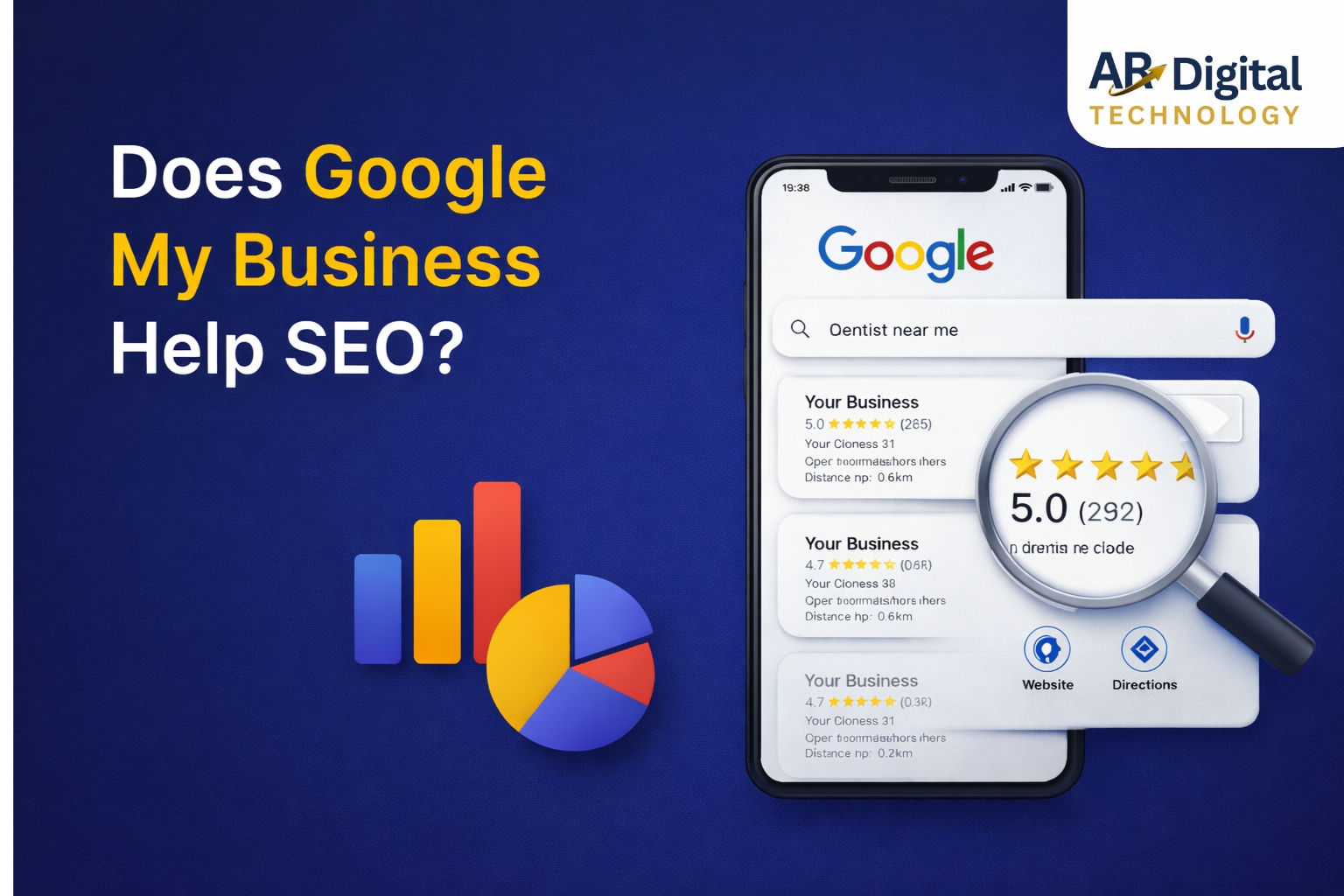
Does Google My Business Help SEO?

If you run a local business, you have probably asked: Does Google My Business help SEO? At AR Digital Technology, we help businesses improve their local rankings using proven SEO strategies.

The simple answer is yes. A well-optimized Google Business Profile can significantly improve your local SEO rankings, online visibility, and customer engagement.

Google Business Profile is one of the most powerful free tools available for local businesses. It allows companies to appear in Google Maps and the Local 3-Pack, which often generates more leads than traditional organic search results.

In this guide, we will explain how Google Business Profile improves SEO, why it matters for local businesses, and how to optimize it for maximum results.


What Is Google My Business (Google Business Profile)?

Google Business Profile is a free business listing platform that allows companies to manage how their business appears on Google Search and Google Maps.

Your profile displays important information such as:

  • Business name

  • Address

  • Phone number

  • Website link

  • Business hours

  • Customer reviews

  • Photos and videos

When someone searches for services like “digital marketing agency near me” or “best restaurant in Mohali,” Google shows business profiles in the Local 3-Pack above the normal search results.

This means businesses with optimized profiles get maximum visibility and higher chances of attracting customers. If you are wondering does Google My Business help SEO, it plays a crucial role in improving local visibility and rankings. According to Google’s official SEO documentation, business listings play an important role in improving search visibility and user experience.


Does Google My Business Help SEO? 5 Powerful Ways to Rank Higher
1. Helps Your Business Appear in the Local 3-Pack

One of the biggest SEO advantages of Google Business Profile is the Local 3-Pack.

The Local 3-Pack is the section that displays three local businesses with a map at the top of search results.

Example search:

  • “SEO company near me”

  • “Best café in Mohali”

  • “Digital marketing agency in Chandigarh”

Google displays the top 3 most relevant businesses based on location and relevance.

Benefits of appearing in the Local 3-Pack:

  • Higher search visibility

  • More website visits

  • Increased phone calls

  • More store visits

Studies show that over 40% of local searches result in clicks from the Local Pack, making it one of the most valuable positions on Google.


2. Improves Local Search Rankings

Google ranks local businesses based on three major factors:

Relevance

How well your business profile matches a search query.

Example:
If your profile category is Digital Marketing Agency, you are more likely to appear for searches related to marketing services.

Distance

How close your business location is to the user searching for the service.

Prominence

How well-known your business is online. This includes:

  • Reviews

  • Backlinks

  • Brand mentions

  • Website authority

A properly optimized profile improves all three ranking signals.


3. Customer Reviews Improve SEO

Reviews are a major ranking factor for local SEO.

Businesses with higher ratings and more reviews are more likely to rank higher in Google Maps results.

Positive reviews help with:

  • Building trust with customers

  • Increasing click-through rates

  • Improving search rankings

Best practices for reviews:

  • Ask satisfied customers for feedback

  • Respond to every review professionally

  • Address negative reviews politely

  • Encourage detailed reviews with keywords

Example review:

“Great digital marketing services in Mohali. Their SEO team helped our website rank on Google.”

Reviews like these help Google understand what your business offers.


4. Drives More Website Traffic and Leads

An optimized Google Business Profile generates multiple types of customer engagement:

  • Website clicks

  • Phone calls

  • Direction requests

  • Appointment bookings

All these interactions are known as engagement signals, which indicate to Google that your business is relevant and trusted.

Higher engagement leads to better local rankings over time.


5. Builds Brand Trust and Authority

Customers trust businesses that appear at the top of Google results.

A complete profile with:

  • Photos

  • Reviews

  • Business information

  • Regular posts

creates a strong first impression and increases the chances of customers choosing your business over competitors.


How to Optimize Google Business Profile for SEO (Does Google My Business Help SEO Strategy)


1. Complete Your Business Profile

Google rewards businesses with fully completed profiles.

Make sure you add:

  • Business name

  • Address

  • Phone number

  • Website link

  • Business hours

  • Services offered

  • Business description

Ensure your NAP (Name, Address, Phone) is consistent across all online platforms.


2. Choose the Right Business Categories

Your business category is one of the most important ranking factors.

Example categories:

  • Digital Marketing Agency

  • SEO Service Provider

  • Web Design Company

Add one primary category and several secondary categories that describe your services.


3. Write a Keyword-Optimized Business Description

Your business description should include relevant keywords naturally.

Example:

“AR Digital Technology is a leading digital marketing agency providing SEO, website development, social media marketing, and Google Ads services for businesses looking to grow online.”

Use important keywords within the first 250 characters.


4. Add High-Quality Photos

Businesses with photos receive:

  • 42% more direction requests

  • 35% more website clicks

Upload photos such as:

  • Office exterior

  • Team members

  • Work environment

  • Products or services

Regular photo updates signal to Google that your business is active.


5. Publish Google Business Posts

Google allows businesses to publish posts similar to social media updates.

Types of posts you can publish:

  • Promotions and offers

  • Business updates

  • Events

  • Blog posts

Posting regularly improves engagement and helps your profile stay active.


6. Encourage Customer Reviews

Reviews are essential for local SEO success.

Encourage customers to leave reviews by:

  • Sharing review links

  • Asking after completing a service

  • Adding review requests in emails or WhatsApp

Always respond to reviews to show engagement and professionalism.


7. Use the Q&A Section

Many businesses ignore the Questions & Answers section.

You can proactively add common customer questions such as:

  • What services do you provide?

  • What are your working hours?

  • Do you offer online consultations?

Answering these questions improves user experience and SEO relevance.


How Long Does Google Business Profile SEO Take?

Local SEO results usually appear within:

  • 2–4 weeks for minor improvements

  • 1–3 months for ranking improvements

  • 3–6 months for strong local visibility

Consistency is the key to long-term results.


Signs Your Google Business Profile Needs Optimization

Your business may need optimization if:

  • Competitors rank higher than you in Google Maps

  • Your profile is incomplete or outdated

  • You have very few customer reviews

  • Your profile receives low engagement

  • You rarely publish posts or updates

Professional optimization can significantly improve your rankings.


Final Thoughts

So, does Google My Business help SEO?

Absolutely.

An optimized Google Business Profile improves:

  • Local search visibility

  • Customer trust

  • Website traffic

  • Phone calls and leads

For local businesses, it is one of the most powerful SEO tools available.
Many business owners still ask does Google My Business help SEO, and the answer is yes—it is one of the most powerful tools for local SEO growth.

If you want to attract more local customers and dominate Google search results, optimizing your Google Business Profile should be a top priority.


Grow Your Business with Local SEO

If you want expert help optimizing your Google Business Profile and improving your local SEO rankings, connect with AR Digital Technology.

Our team helps businesses increase their online visibility, generate leads, and grow faster with result-driven digital marketing strategies.

ecommerce SEO trends 2026

10 Trending Ecommerce SEO Strategies to Dominate Search in 2026

Ecommerce SEO trends 2026 are redefining how online stores attract traffic, rank on Google, and convert visitors into customers.

With AI-powered search, voice queries, and experience-based rankings becoming the norm, according to Google’s official SEO documentation, search now prioritizes user experience and intent over traditional keyword matching ecommerce businesses must evolve their SEO strategies to stay competitive and profitable. In 2026, businesses that align their strategies with ecommerce SEO trends 2026 will gain higher visibility, stronger rankings, and long-term organic growth.

In this blog, we’ll explore the top 10 trending ecommerce SEO strategies for 2026 that can help online stores increase visibility, drive organic traffic, and boost conversions.


1. AI-Driven Search Intent Optimization in Ecommerce SEO Trends 2026

Search engines in 2026 prioritize user intent over exact keywords. AI now understands context, behavior, and conversational queries. SEO experts at Ahrefs also emphasize that understanding search intent is critical for ranking in competitive ecommerce niches.

Instead of targeting only short keywords, ecommerce brands must optimize for:

  • Problem-based searches
  • Long-tail, conversational phrases
  • Buyer intent keywords

Example:
Not just “wireless earbuds”, but
“best noise-cancelling wireless earbuds under budget”

👉 Trend takeaway: Write content for humans first, algorithms second.


2. Product Page Experience as a Ranking Signal

Product pages are no longer just for selling—they’re ranking assets.

Google evaluates:

  • Time spent on page
  • Bounce rate
  • Interaction (scrolling, clicks, reviews)

Optimized product pages should include:

  • High-quality images & videos
  • Clear pricing and CTAs
  • Reviews and FAQs
  • Fast loading speed

👉 Better experience = higher rankings + more sales.


3. Voice & Conversational Search Optimization

With smart assistants and voice search growing rapidly, ecommerce SEO must sound natural and conversational.

Optimize content for:

  • Question-based queries
  • “Near me” and intent-driven searches
  • FAQ sections with clear answers

Example:
“Where can I buy organic skincare products near me?”

👉 Voice-friendly content improves discoverability and conversions.


4. Structured Data & Rich Results Take Center Stage

Schema markup is a major ecommerce SEO trend in 2026.

By using structured data, your store can appear with:

  • Star ratings
  • Pricing details
  • Stock availability
  • FAQs in search results

These rich snippets increase click-through rates significantly, even if your ranking position stays the same.


5. Mobile-First Performance Is Non-Negotiable

Most ecommerce searches happen on mobile devices. Google now evaluates mobile performance first.

Key mobile SEO factors:

  • Page load time under 3 seconds
  • Smooth scrolling & layout stability
  • Easy navigation & checkout

👉 A slow mobile site loses rankings and customers.


6. AI-Generated Content (With Human Editing)

AI tools are widely used in ecommerce SEO—but human refinement is the differentiator.

Best approach:

  • Use AI for research and drafts
  • Add brand voice, accuracy, and originality
  • Avoid thin, repetitive content

This works especially well for:

  • Category descriptions
  • Product highlights
  • Informational blogs

👉 AI assists, humans lead.


7. Local SEO for Ecommerce Brands

Even ecommerce businesses benefit from local SEO in 2026.

Local optimization helps with:

  • Same-day delivery searches
  • Store pickup options
  • Location-based trust

Strategies include:

  • Google Business Profile optimization
  • City or region-based landing pages
  • Local reviews and citations

👉 Local visibility = higher conversion intent.


8. Video SEO for Ecommerce Growth

Video content is increasingly visible in search results.

Trending ecommerce video formats:

  • Product demos
  • Unboxing videos
  • How-to guides
  • Customer testimonials

To optimize videos for SEO:

  • Add transcripts
  • Use keyword-rich titles & descriptions
  • Embed videos on product pages

👉 Videos build trust and reduce purchase hesitation.


9. Topical Authority Over Isolated Keywords

Instead of ranking for single keywords, ecommerce brands are building topic clusters.
These ecommerce SEO trends 2026 clearly show that user experience, AI-driven intent, and content quality are now the foundation of successful online stores.

Example:

  • Sustainable fashion
    • Eco-friendly fabrics
    • Ethical sourcing
    • Vegan leather products

This strategy signals expertise and improves rankings as highlighted by Moz, building topical authority helps websites rank across multiple related keywords instead of relying on a single term.

👉 Authority beats keyword stuffing—every time.


10. Customer Reviews as SEO Power Signals

Customer reviews play a dual role in 2026:

  • Boost search visibility
  • Increase buyer trust

Optimized review strategy:

  • Encourage verified reviews
  • Display reviews on product pages
  • Respond to feedback publicly

Reviews naturally add fresh, keyword-rich content—which search engines love.


Final Thoughts

Ecommerce SEO in 2026 is about more than rankings. It’s about:

  • Understanding user intent
  • Delivering seamless experiences
  • Leveraging AI intelligently
  • Building trust and authority

Brands that focus on experience-driven, AI-powered, and content-rich SEO strategies will dominate search results and customer loyalty.


Want to Future-Proof Your Ecommerce SEO?

At AR Digital Technology, we help ecommerce brands grow with AI-powered SEO, technical optimization, and conversion-focused strategies.

👉 Get in touch today and turn organic traffic into real revenue.

Scroll to Top